Fetch Classes/Locations in Categorization History
What Fetch Classes/Locations in Categorization History does
In the Bank Transactions Categorization history drawer, automatically fetches each listed transaction and shows its Class(es) and Location on the category rows. Multiple classes are separated by | and the text links to the transaction in a new tab.
Video tutorial
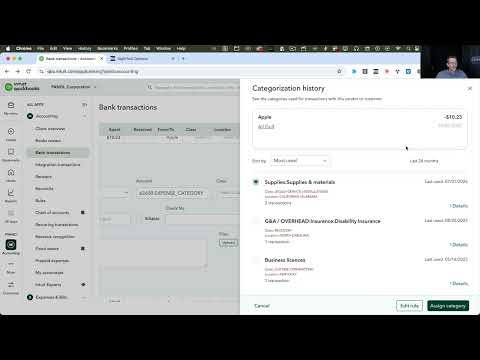
How to turn on Fetch Classes/Locations in Categorization History
- Install the RightTool for QuickBooks Online Chrome extension.
- Create a RightTool account and upgrade to PRO, then log in from the RightTool options page.
- Open the RightTool options page and choose Bank Feeds PRO in the sidebar.
- Switch on Fetch Classes/Locations in Categorization History, then click Save & Refresh All QBO Tabs.
Get Fetch Classes/Locations in Categorization History with RightTool PRO
Unlock Fetch Classes/Locations in Categorization History and every other PRO feature for QuickBooks Online.
Go PRO Add to Chrome